
Airside's ATC Simulator for Microsoft Flight Simulator 2024 0.8.2.0 opens fields with parallel runways the way they are worked: arrivals on one runway, departures on the other. The strips can be made narrow, so a busy frequency fits on the screen, and the desk shows the fuel you have left. Close parallels take a runway change later on final, stop bars sit right where taxiways meet in a Y, and the crews hear and answer more of what you say.
Runways and traffic
- A field with parallel runways opens with arrivals and departures apart, each on its own runway: at Sabiha Gökçen arrivals land on 24L and departures leave from 24R, at Los Angeles 24R and 24L. A runway you choose yourself when you set up the shift still takes both.
- A later runway change on close parallels: where the two runways are up to 1,200 ft apart, an arrival can be moved to the other one until about 3 nm out. Wider pairs keep the 5 nm limit.
- When Airside works the tower beside you, it no longer clears a take-off before the departure ahead has lifted off, and a departure behind a heavy waits for its wake.
- A landing no longer turns off into an exit where another aircraft is waiting; it rolls on to the next one.
- Stop bars where taxiways meet in a Y: a bar is never wider than its taxiway, and two bars no longer cross.
- Schiphol gives its night SIDs at night only: by day, departures from 06 and 36L fly the day SIDs; inside the night hours they fly the night version of their SID, such as ARNEM 2Z.
The desk
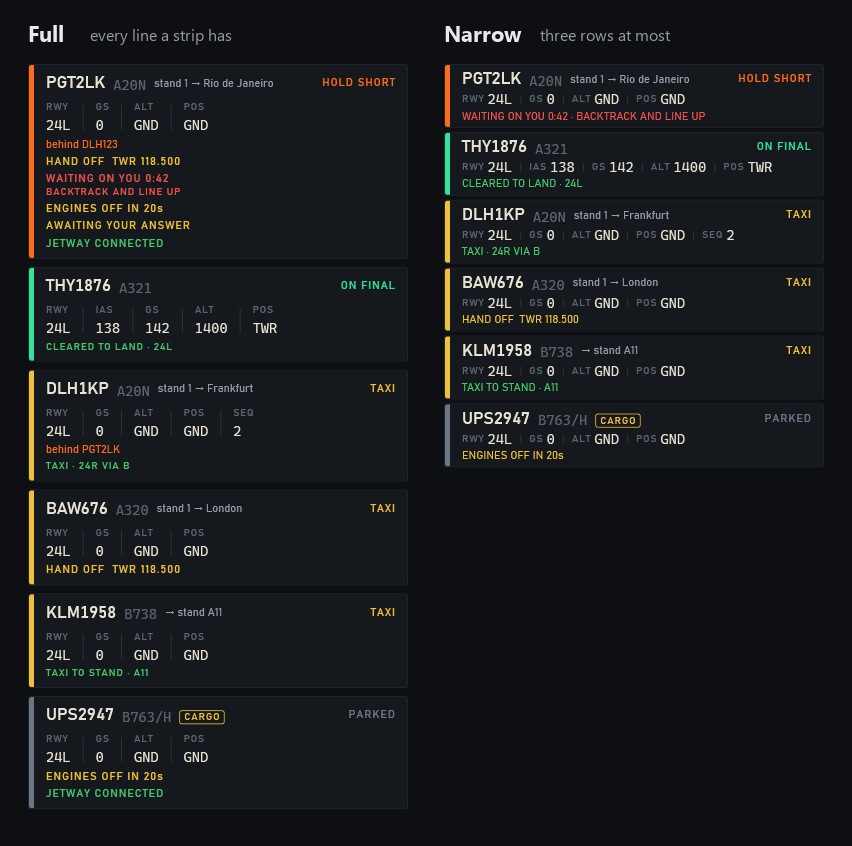
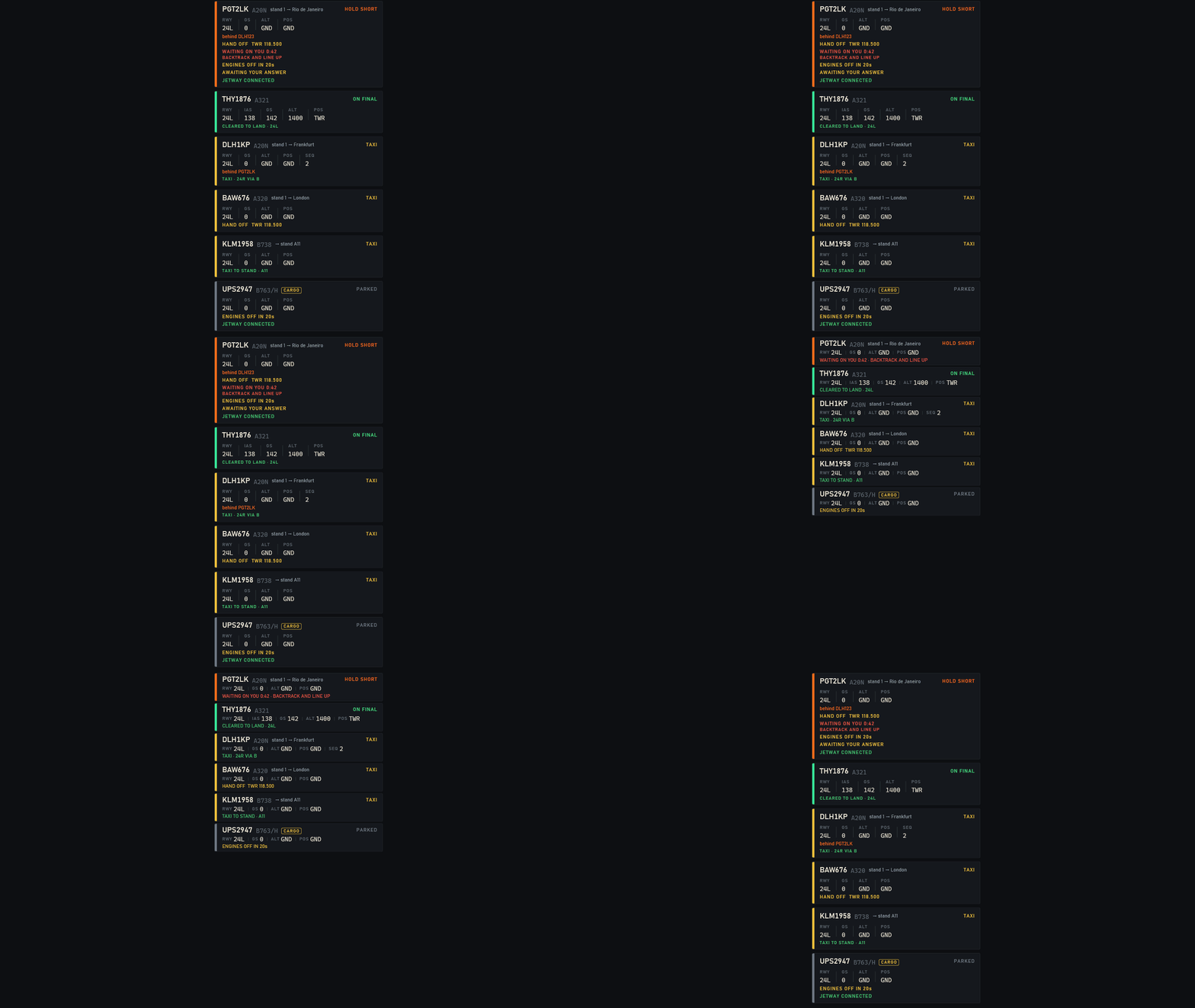
- Narrow strips: Settings, Display, Strips, Narrow. Each strip says who it is, its data on one row, and under it the one thing that matters most now: what it waits for, the answer it owes, a handoff or its last clearance. The strip you select keeps its buttons.
- The fuel you have left is on the desk wherever fuel is on: the radio log shows it, amber when it is low and red when it is empty, and says once when it runs low, with Get fuel beside it. The launcher's Fuel card says which voice your crews speak with and where to change it.
- START SHIFT stands out: it is the bar's one green button, and it breathes gently while a shift waits.
- A floating panel left where a screen used to be, after a change of resolution or of screens, opens on a screen that is there.
- If you bought the ATC Simulator, it asks you once, before a shift, for your stars and, if you like, a few words.
On the radio
- An instruction the crew understands but cannot follow is answered "unable", with the reason, instead of "say again"; for example a "go around" to an aircraft already on the ground.
- "Monitor tower" is read back as "monitor tower".
- A long call that the speech engine cut short is heard again to get the rest.
- Airline names that begin with a vowel, such as Eurowings, are understood when their first sound comes out a little differently.
- With Ready calls off (Settings, Crews), a departure no longer reports holding short either; it still asks to cross a runway on its way.
- The Realistic voice says equal digits apart, as on the radio: "runway tree, tree", "squawk seven, seven zero, zero".
The Layout Editor and the Layout Library
- Night SIDs: the Field tool's Departures page gives a runway end its night SIDs, by the letter they end with and the night's hours on the field's clock. Schiphol's are built in.
- A SID by direction or a climb by SID can be written by its name alone (PENCL for PENCL2), with another number, or by the chart's longer name. One that matches no SID at the airport is shown in Problems, and Show opens the Departures page.
- The E175 can be written E75L or E75S, as airlines file it, wherever a layout names aircraft types.
- Tower positions that share a call sign, each on its own frequency, are no longer shown as a problem.
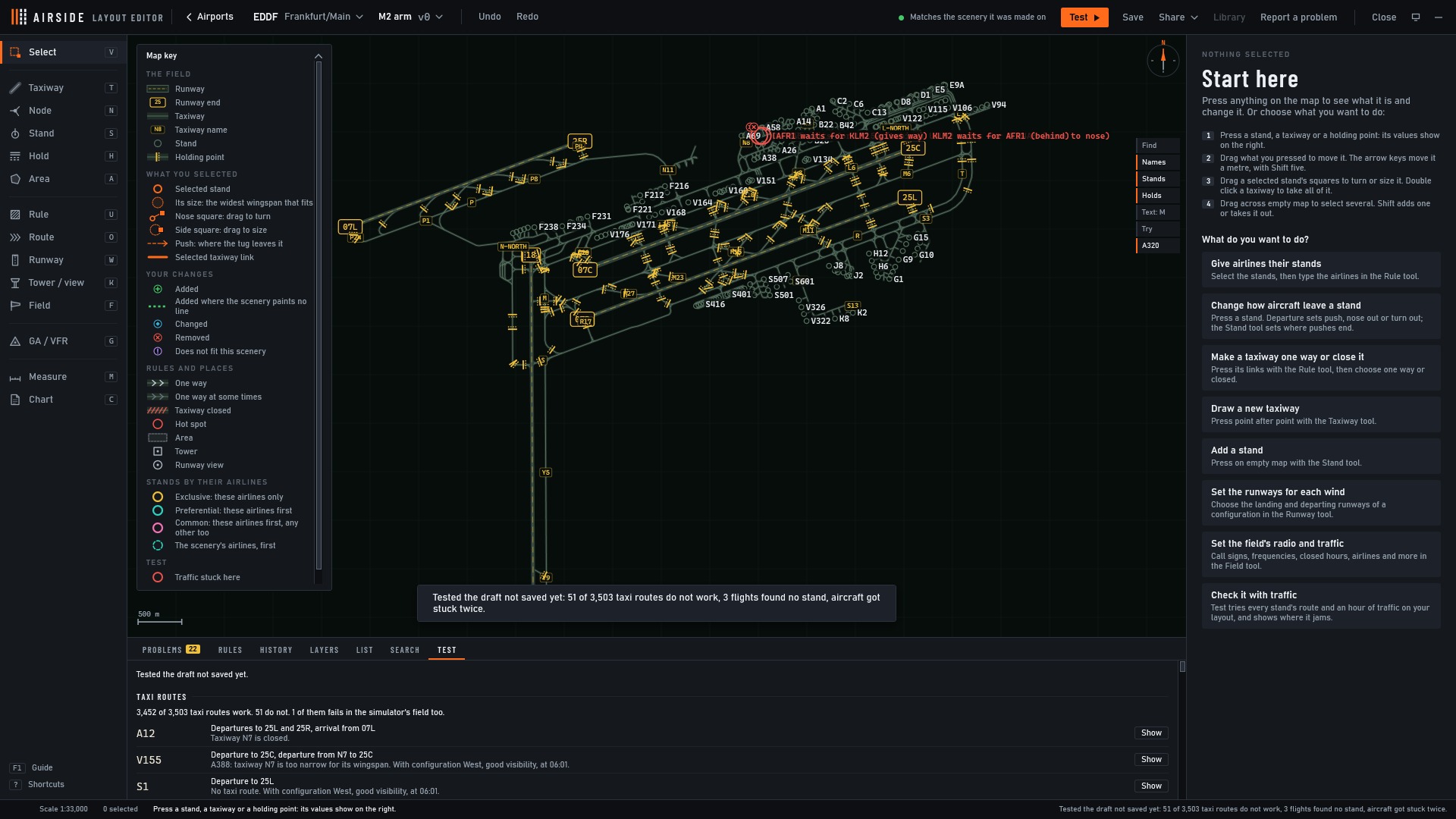
- The Test tab lists the taxi routes that do not work, each by its stand with the reason, and Show takes you to it. Beside them are the stands and an hour of traffic for the simulator's field and for your layout, and where aircraft got stuck.
- Your own version numbers: a new version of a layout can be numbered as you choose, such as 1.1 or 1.2.3; left empty, it counts up by itself. Airside's library and the launcher show it, and every layout already in the library is version 1.
- Withdraw, Open again, Put back: the sender of a report can withdraw it while it is open. A maker can open again a report they closed, and put back a layout they took down, as it was: its versions, its stars and its downloads.
- Made on your scenery: a layout's card, in Airside and in the launcher, says whether it was made on the same scenery of that airport as yours, and an upload asks once which scenery it was made on.
The launcher
- If your connection's IPv6 hangs, the launcher goes on over IPv4 by itself instead of waiting.
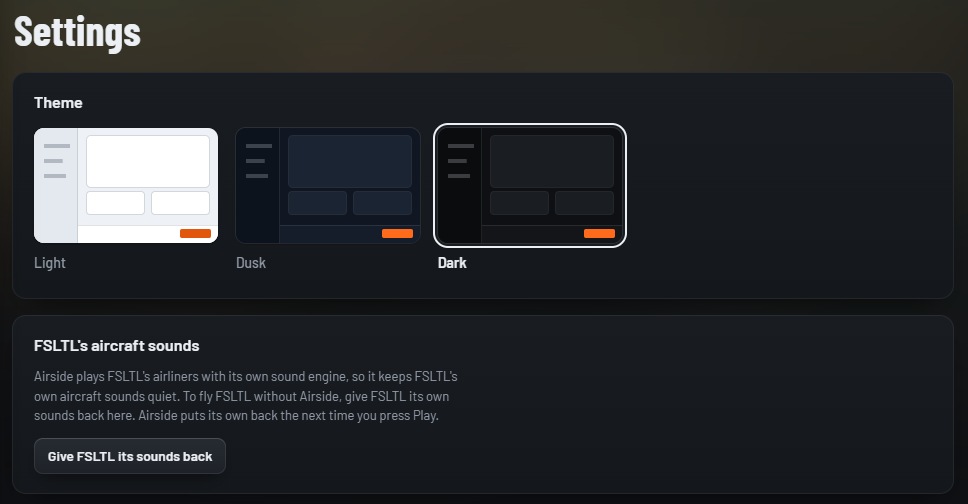
- Settings has a card for FSLTL's aircraft sounds, with "Give FSLTL its sounds back" where Airside's sounds are in FSLTL.
- The first setup's FSLTL questions follow the simulator's aircraft list as it arrives.
- Vice, last week's theme, has ended: the launcher is back on the theme you had before it, or Light.
Open the launcher and press Update: everything arrives in one go.