
Airside 0.8 gives the crews a second voice, the Realistic voice, that sounds like the real frequency. It brings fuel, which the Realistic voice and live traffic run on and which every owner is given free each week. It opens the Layout Editor, where an airport's stands, taxiways and rules become your own and can be shared. And it adds general aviation and VFR, a new launcher, and a report to keep at the end of every shift.
Supporters first
Supporters have 0.8 since Thursday 12 November. Everyone else gets it on Friday 13 November at 21:00 UTC.
The Realistic voice
- Crews that sound like the real frequency. Each crew speaks from its own cockpit, on its own radio, and what you hear follows the aircraft: its engines, how far away it is, the weather.
- It is the crews' voice after this update. The radio log says so the first time you hear it. Settings, Audio, Crew voice is where you choose between it and the Basic voice.
- The Basic voice stays, and stays free.
- Crew events. Now and then a crew hesitates, corrects a figure, clears its throat or keys twice, as often as on a real frequency. Settings, Audio, Crew events: Off, Realistic, or Lively for half again as often.
- A greeting on a first call and a goodbye on a frequency change, and a crew at an airport of its own country may greet you in its own language.
- Small sounds of the moment: the landing gear on final, an open window at the stand, a key let go a little early.
- The Realistic voice speaks while a shift is running and uses fuel. With an empty tank the crews go on in the Basic voice, and nothing else changes.
Fuel
- The Realistic voice and live traffic use fuel, a count kept on your account.
- Free every week. An account that owns Airside ATC Simulator is given free fuel every week. It is given on Monday, and free fuel left from the week before is not carried over.
- Live traffic at any airport. A day of live traffic takes the same fuel at every airport, and the same airport on the same day opens again for nothing. The limits of one new airport a day and twelve a month are gone, and so is the list of airports that were free that day. One rule takes their place: a day costs the same at every airport, and which airport you work is your choice, not a list's.
- Why live traffic uses fuel. Every new day of live traffic is real schedule data that I pay for. It is little for one day and a lasting cost over the years Airside is meant to run. The free fuel of every week still opens live days at no charge, and what goes beyond it pays its own way.
- See what you hold in the launcher, in Airside's Settings (Audio and Account), and on the Live traffic card when you set up a shift, which says what a day takes before you choose it.
- More fuel is sold in packs on your account page. Get fuel, in the launcher and in Settings, opens it. Fuel you buy is not taken away with the week.
- Resets. A reset fills your free fuel back up, right away. You use one with a click in the launcher, in Settings or on your account page, and each of them shows how many resets your account holds. Resets are a gift from Airside and cannot be bought. To mark 0.8, every owner gets one reset, to use by 30 November.
The Layout Editor
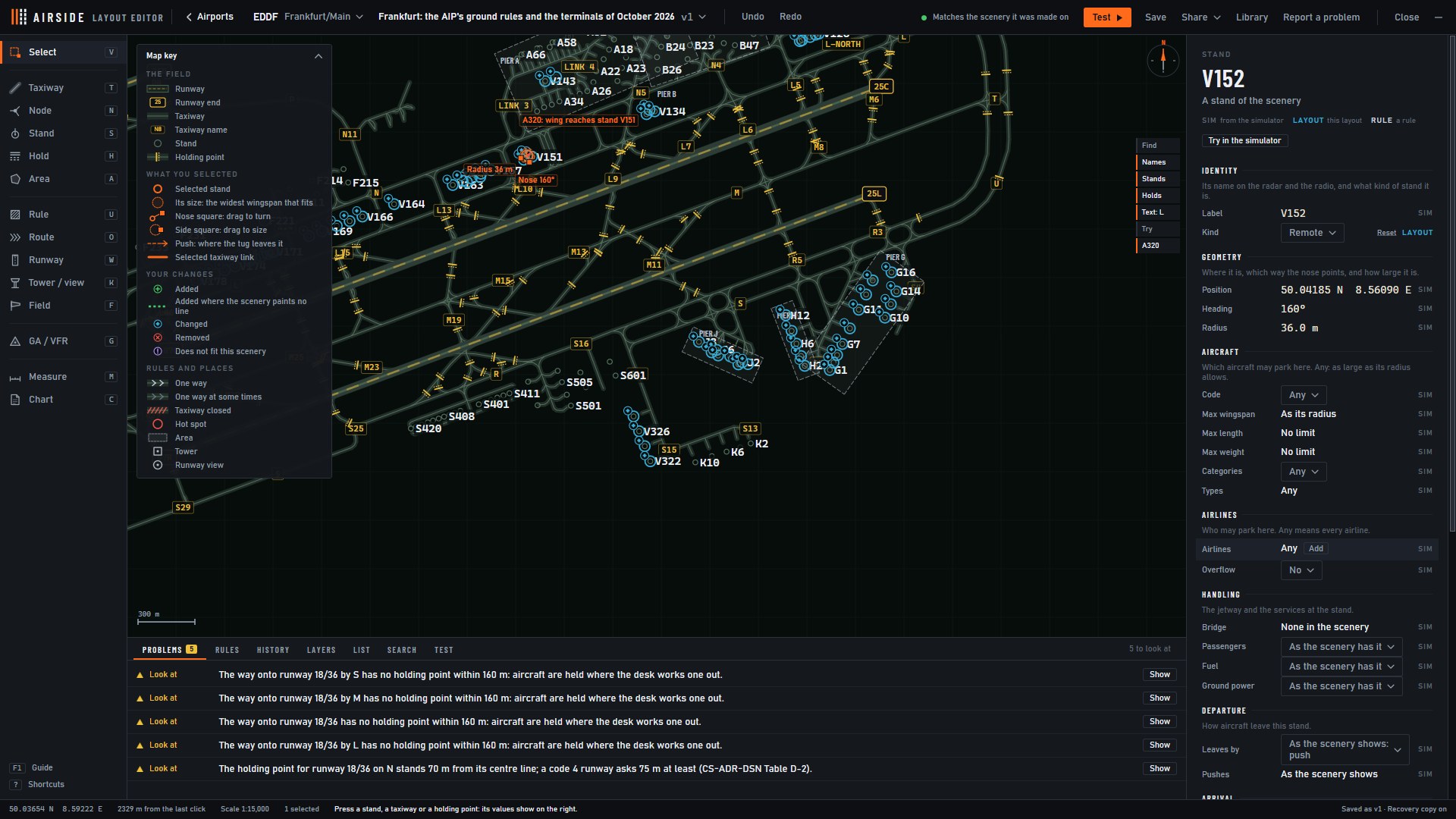
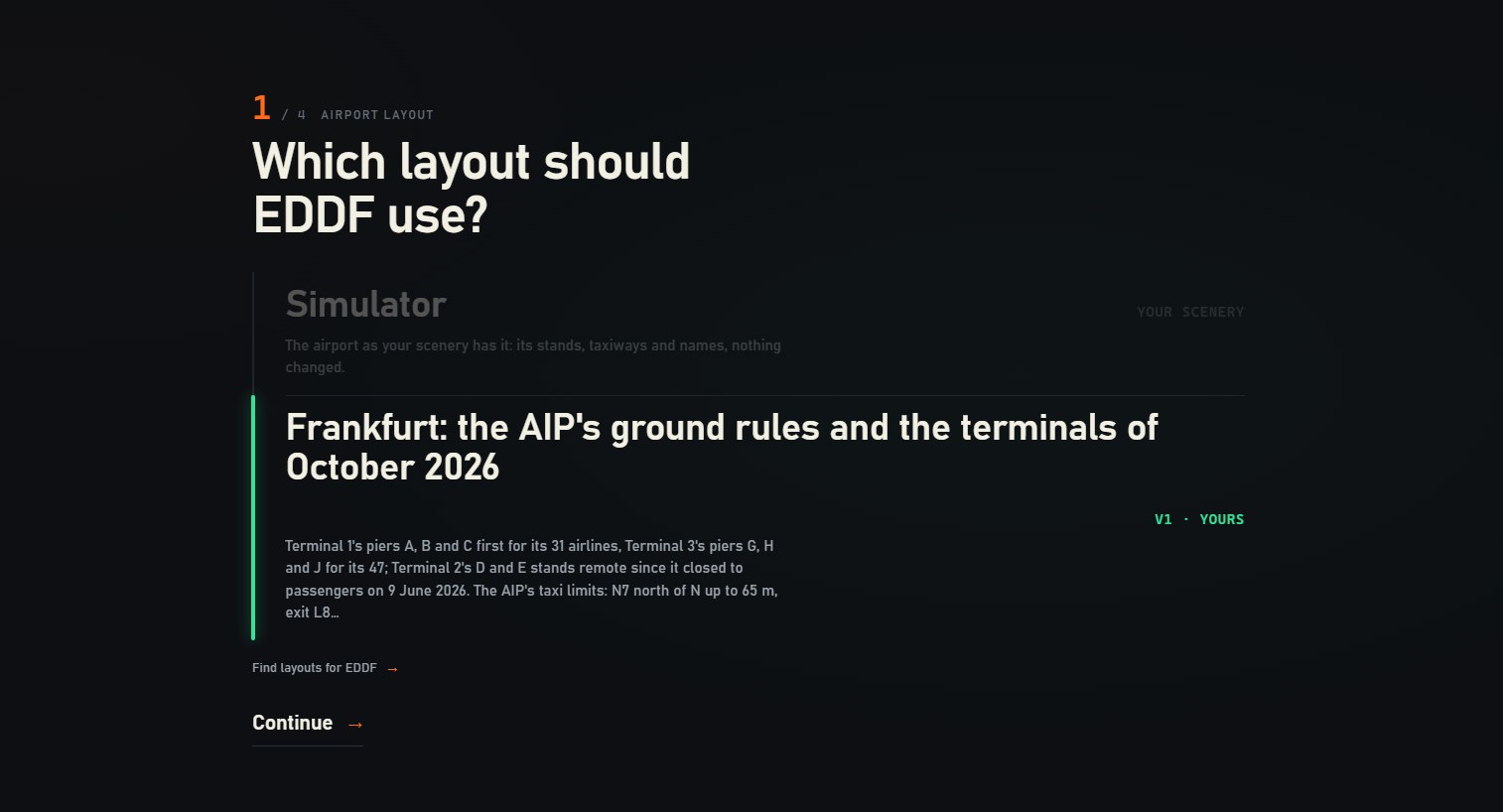
- An airport as you know it. Open the Layout Editor from the launcher and change an airport's stands and who parks on them, its taxiways and their names, its holding points, its areas and the rules of its runways, on a map of the airport as your scenery has it.
- Use it in a shift. After a layout's first save the editor asks whether the airport should use it. "Use for" on the editor's first screen does the same later, and when you set up a shift at an airport that has a layout, Airside asks which one to use.
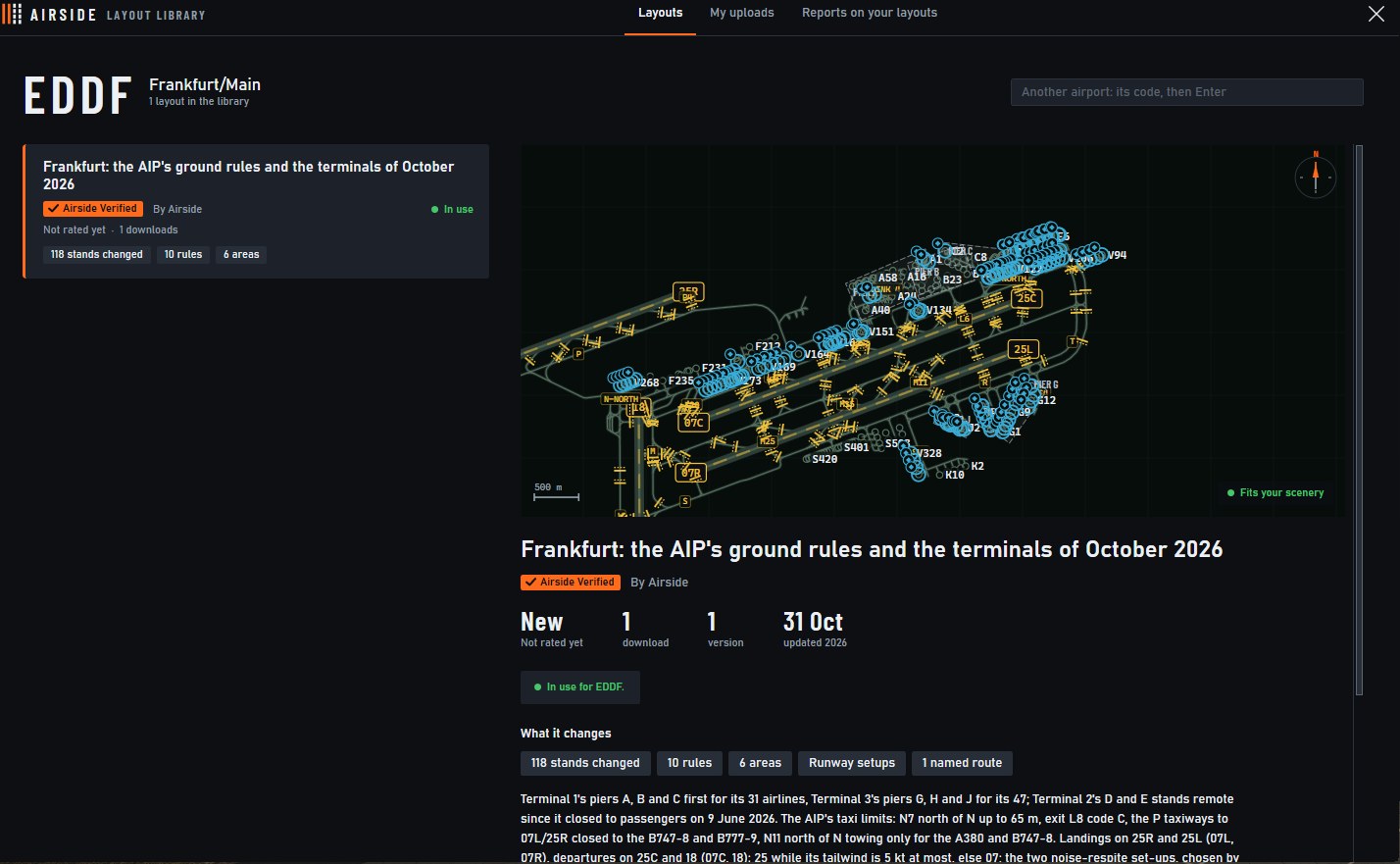
- Share it. Upload a layout to Airside's library from the editor. Other players find it there under your name, and "Find layouts" on the setup screen and in the editor opens the library for the airport in front of you.
- Rate a layout you worked with at the end of the shift, or send its maker a note with "Report to the layout's author".
- Close for the shift. Right-click a taxiway, a stand or a runway on the ground radar to close it for this shift, and again to open it.
- Layouts are for owners. A free demo works the airport as the scenery has it.
General aviation and VFR
- Light aircraft and helicopters join the traffic where an airport has them.
- The circuit. Clear a touch and go or a full stop, extend a downwind, turn a flight onto base, or send it round one three sixty.
- VFR in and out. "Join left downwind" brings a VFR arrival into the circuit, "remain outside controlled airspace" keeps it waiting, and a VFR departure reports leaving the zone.
- The manual's new section, "The circuit and VFR flights", has every instruction and how to say it.
The launcher
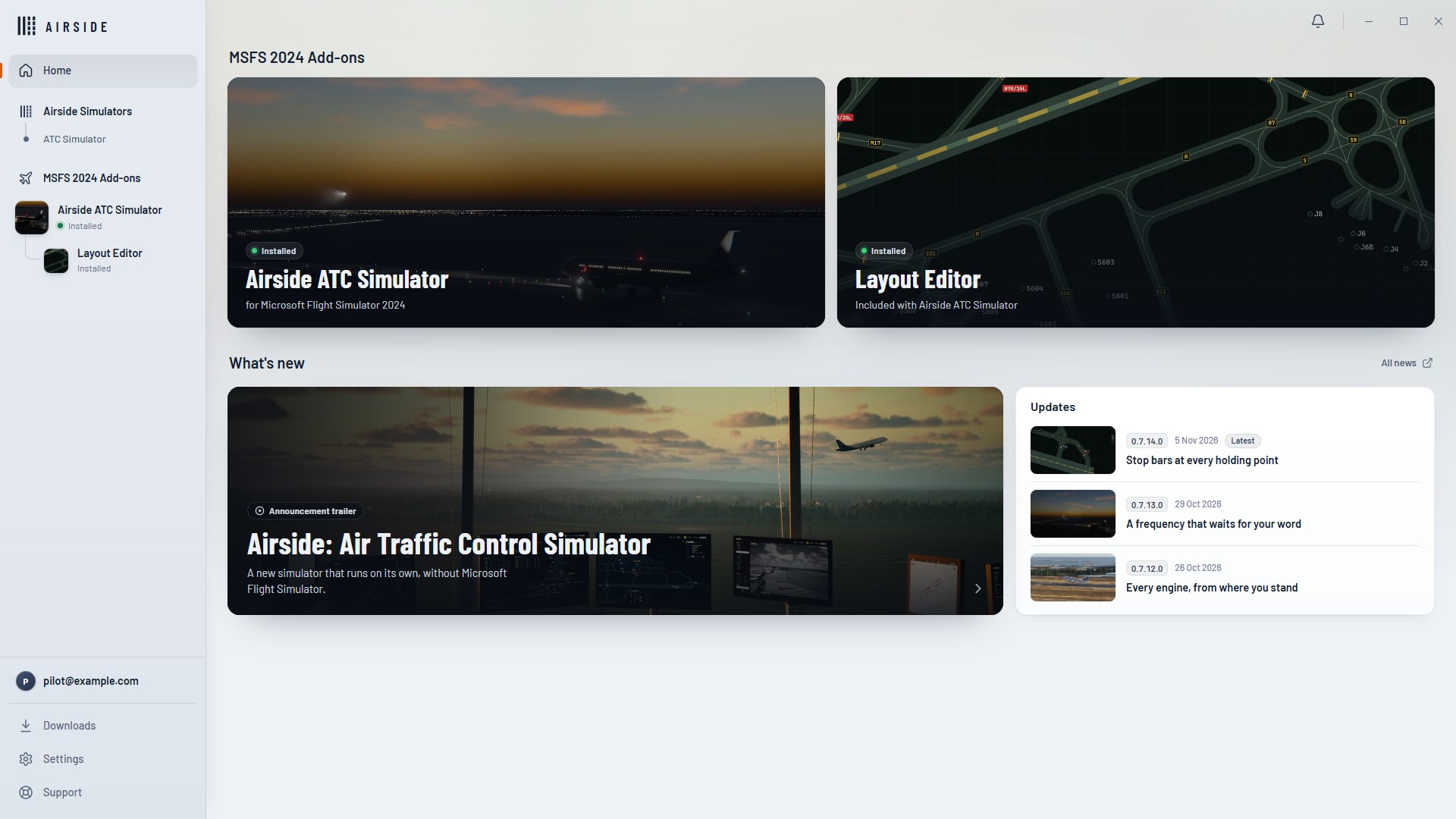
- A new launcher. Home with what is new, a page for Airside ATC Simulator and one for the Layout Editor, Downloads, Settings with three themes (Light, Dusk and Dark), Support, and your account: what you own, your fuel and your Discord account.
- PLAY opens Airside straight on its waiting screen. Settings are at its top right.
- Connect your Discord account from the launcher or from your account page.
The end of a shift
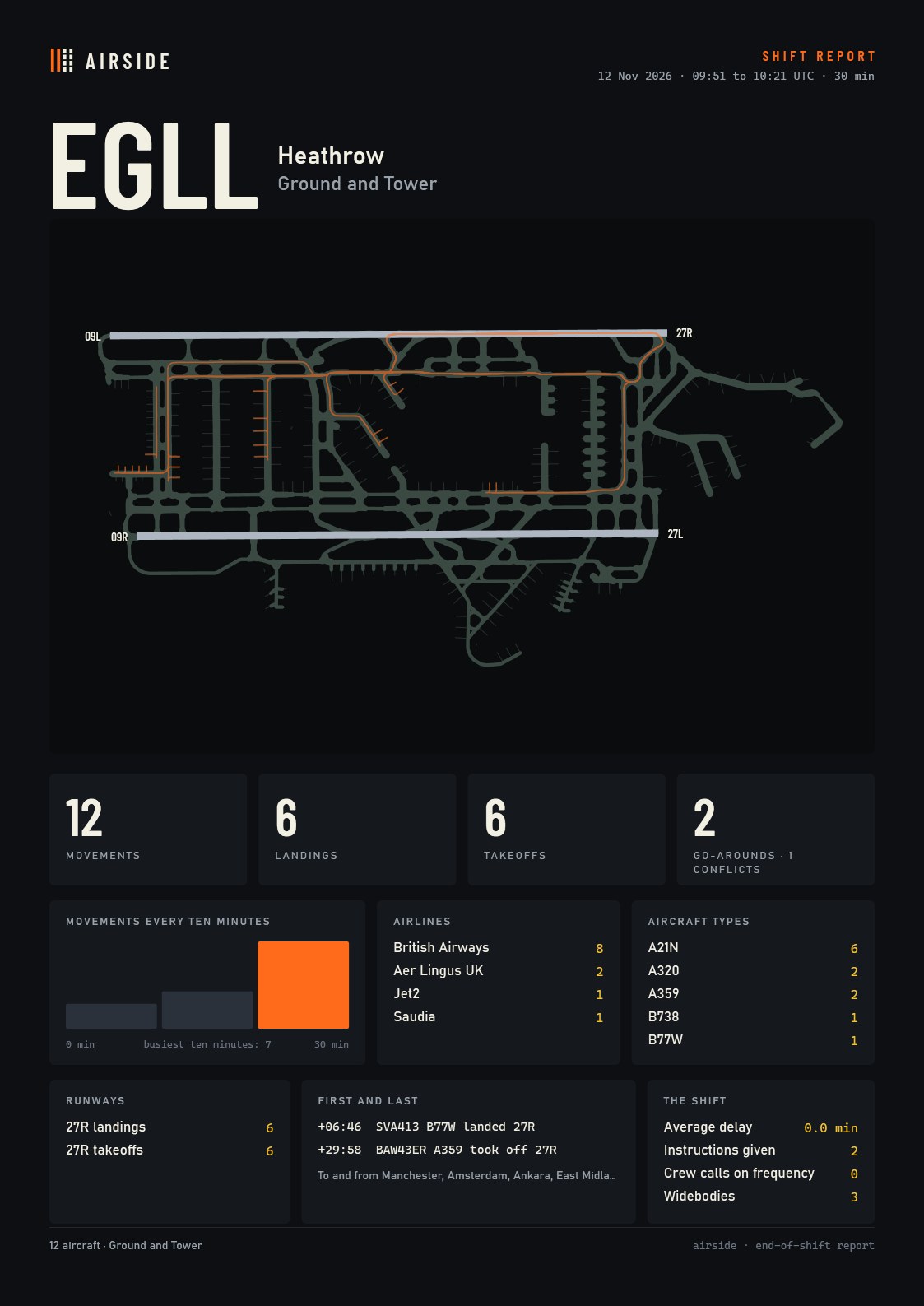
- END SHIFT in the top bar. Airside takes every position and keeps the airport working, and your shift report opens.
- The report: movements, landings and takeoffs, the busiest ten minutes, airlines, aircraft types, the cities flown to and from, your instructions and the calls on your frequencies, and the airport's map with the routes that were taxied.
- Keep it. Save it as a PNG or a PDF at A3, or print it.
Departures
- A heading with the takeoff. "Turn right heading one four zero, runway two four left, cleared for takeoff": the crew reads it back in that order, turns at 800 ft and holds the heading. "Fly runway heading" works too, and so does a heading given to a departure already in the air. By click, the departure's menu has Fly Runway Heading, Turn Right Heading and Turn Left Heading.
- The strip, the selected aircraft's panel and both radars' tags show the heading.
- SIDs as published. A departure you give no heading flies its SID's legs as the simulator publishes them, and is given the SID that leaves toward where it is going.
On the frequency
- A crew's line is written on the radio log when you hear it, not a few seconds before.
- Crew speaking speed is 1.30x by default, and this update sets it to that once for everyone. Settings, Audio, Crew speaking speed changes it.
- An early "contact Tower" is kept. The crew calls Tower once, by name, as it nears the holding point. "Monitor Tower" keeps it silent, as before.
- Handed to Tower before a runway crossing, a crew asks Tower for the crossing and not you on Ground.
- Working Tower alone, a landing you send to Ground is taxied by Airside's Ground, and its readback is on the radio log in grey.
- A crew still boarding asks nothing. Once the doors are closed it calls once: "ready for push and start".
- "Stand 25R, push back approved" is understood as a pushback.
- The ATIS is renewed at every METAR time with a new letter and time, even in unchanged weather: at 20 and 50 past the hour in Europe, at 53 past in the United States.
The radar and the strips
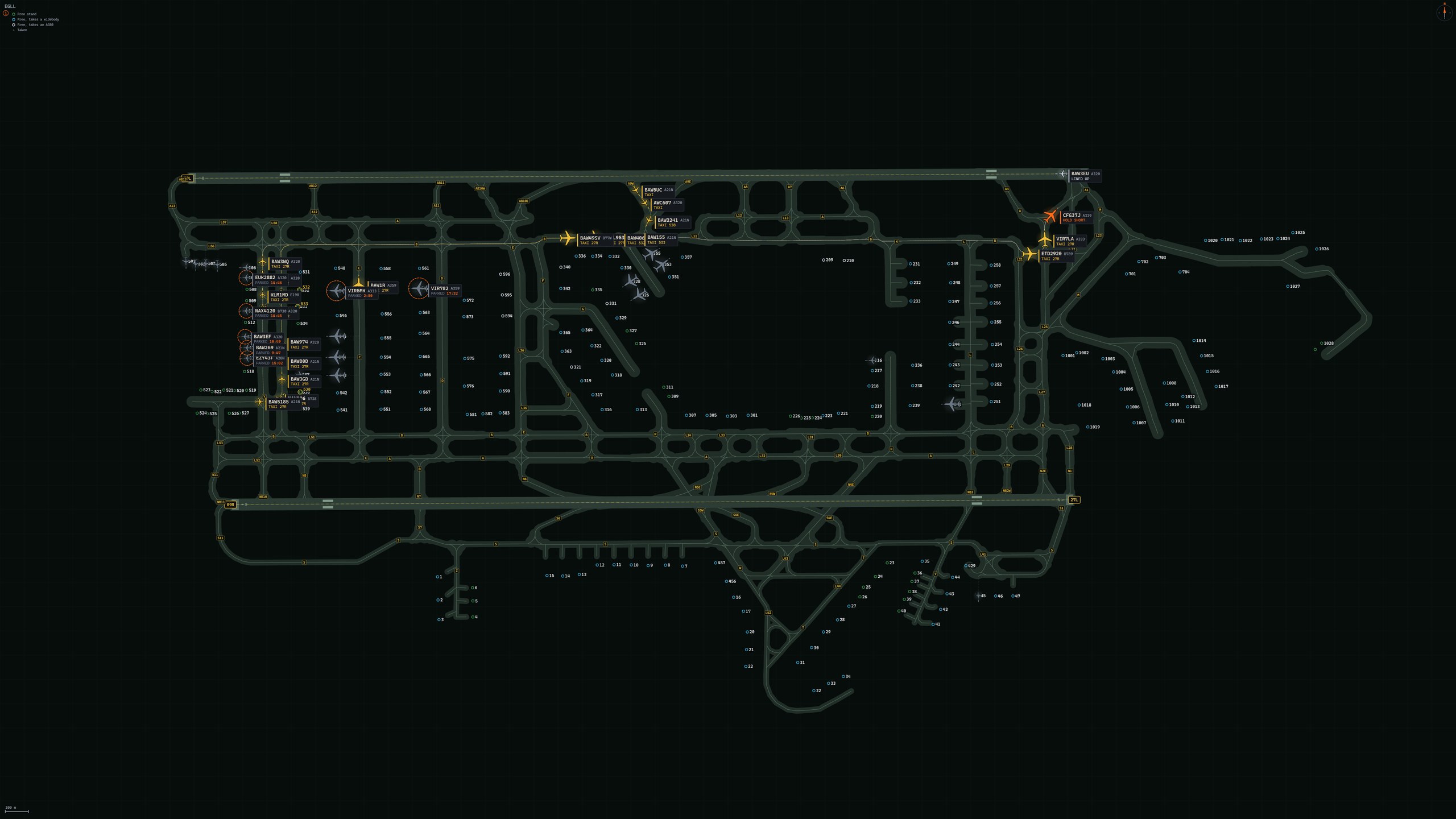
- Radar detail. Zoomed in, each aircraft is drawn at its own wingspan with its tag outside the wing; every moving aircraft leaves a short trail on both radars; runways show their thresholds, numbers and aiming points. Settings, Display, Radar detail: Rich or Plain.
- Taxiway names at every zoom: zoomed out, the ones that fit.
- The last clearance on the strip, in green, under its boxes: CLEARED TO LAND, CONTINUE APPROACH, LINE UP AND WAIT, CLEARED FOR TAKEOFF or CROSS RUNWAY with the runway, until it is flown or taken back.
- Settings, Display, Stand names: as the taxiway names, Standard or Small.
Traffic
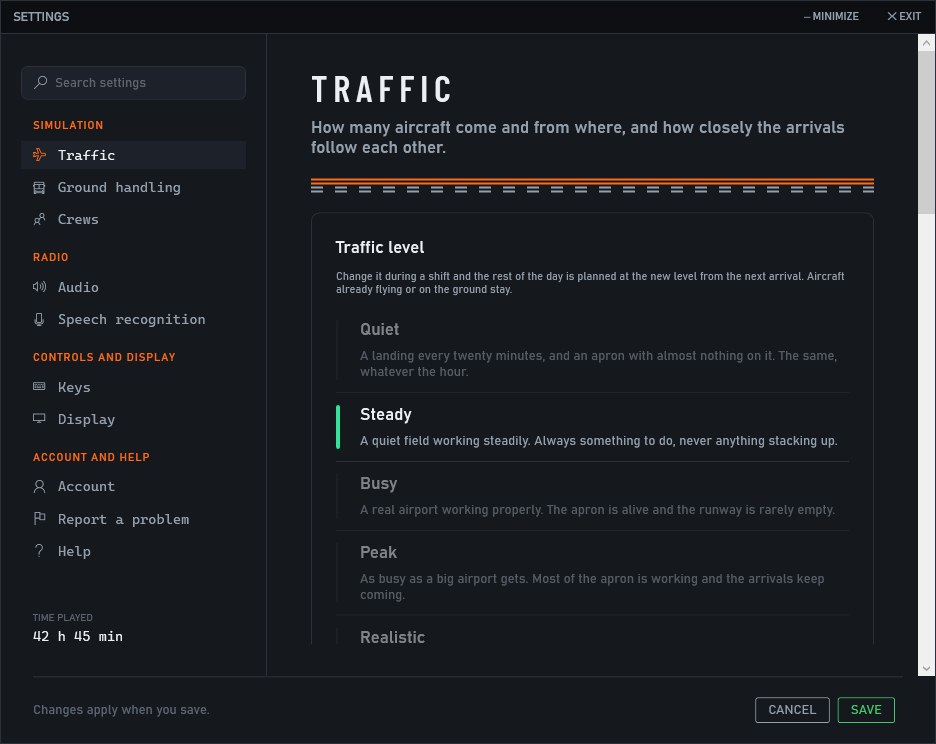
- The traffic level can be changed during a shift. Settings, Traffic: it applies from the next arrival, and the aircraft already there stay.
- Extra traffic on a live day. At a quiet airport, Busy or Peak adds flights of the day's own airlines, types and cities to the real timetable, which keeps its own times and stands.
- An airport's own airlines lead its generated day: British Airways at Heathrow, Lufthansa at Frankfurt, Delta at Atlanta.
- Stands by airline. Where the scenery says which airline uses which stands, flights park there: Minneapolis, Toronto, Boston, Tampa, Helsinki, Stuttgart and others.
- When the AI traffic add-on is chosen and the simulator offers none of its aircraft, Airside says so at the start of the shift, and how to put it right.
On the ground and on the runway
- Line up as the landing passes. A line up given once the landing aircraft has passed the departure's holding point no longer sends it around.
- The nose at the holding line. Departures stop with the nose at the painted line and its stop bar, not past it.
- Between two runways. A landing that has to cross the parallel runway stops at the scenery's line, clear of the runway it left, and the arrivals behind it no longer go around (San Francisco's 28R and 28L, and wherever the scenery draws the lines close to the runway).
- A quicker roll to the exit. After touchdown an aircraft holds 59 knots along the runway to its exit, where it held 50, and leaves the runway a few seconds sooner.
- At Denver, runways 25 and 8 can be open for departures together.
- Airside's Ground no longer sends a tug for a gap of a few centimetres behind an aircraft.
Open Airside from its launcher and everything arrives in one start.