
This release is about the apron. The jet bridges come to your traffic, the handling vehicles behave like handling vehicles, and the airport starts to sound like one. It also makes Airside lighter to download and quicker to listen.
Jet bridges
At a gate with a jet bridge, the bridge docks at the door of Airside's aircraft, stays on through boarding and retracts before pushback.
- Boarding waits for the bridge. Passengers wait for a bridge that is on its way, and the doors close once it has retracted.
- The aircraft stands on its mark. A parked aircraft stands where the simulator itself parks that model on that stand, so the bridge meets the door.
- Across the whole airport, nearest to you first, with no extra download and no restart.
- Come and go as you like. Fly away from the gates and back, and the bridges dock again.
At some gates Microsoft Flight Simulator does not give its bridge to Airside's aircraft, and there it stays where it is.
Ground vehicles
- They hold still at their work. A truck at the aircraft stays where it is. No more creeping back and forth.
- The service roads. Where the scenery has them, vehicles drive in on the airport's own service roads, slow down on the apron, swing in lined up with the aircraft, and back out where they face it.
- Always there. Ground vehicles and jet bridges are part of every turnaround now, so the switch to hide them is gone.
GSX Pro, in testing
Where GSX Pro is installed, its vehicles serve Airside's traffic: buses, ground power, fuel trucks and hydrant dispensers, water and lavatory service, baggage carts and de-icing. They come in the stand's handling company colours and follow GSX's own airport profiles, so a stand with no buses gets none. Settings, Ground service, GSX Pro (in testing): Used or Not used.
Real engine sounds for your traffic
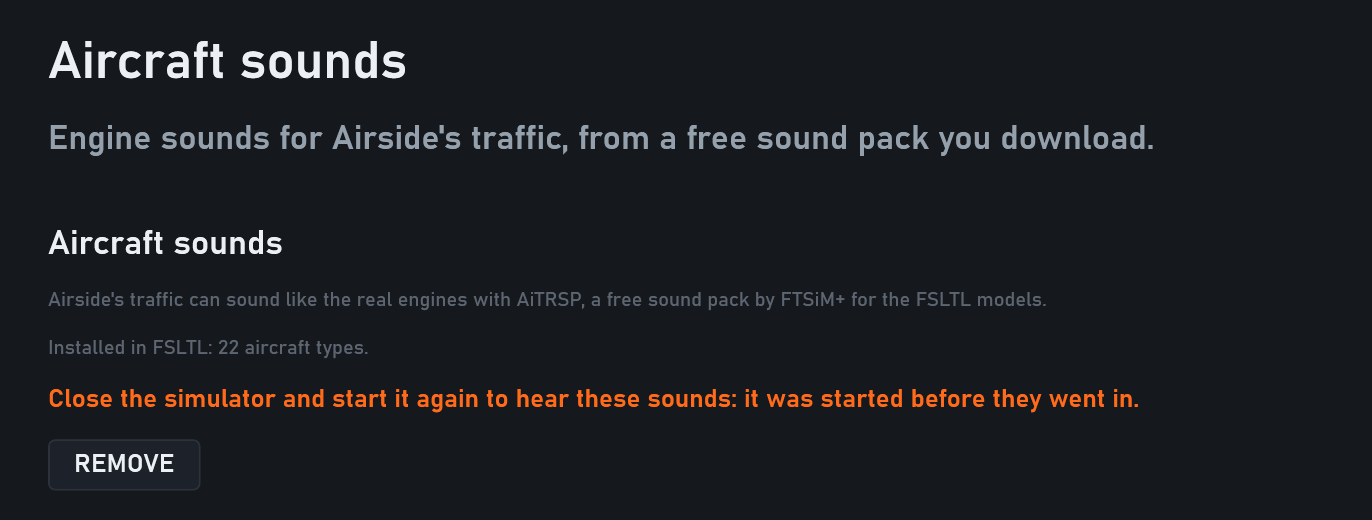
Settings, Aircraft sounds points you to AiTRSP, a free sound pack by FTSiM+ for the FSLTL models. Download it, leave it in your Downloads folder, and Airside puts it into FSLTL for you. Restart the simulator once, and Airside's FSLTL traffic sounds like the real engines on 22 aircraft types, from the A320 and 737 families to the 777 and the A350. The page says in orange when the simulator needs that restart, and REMOVE puts FSLTL back as it was.
Your voice on the frequency
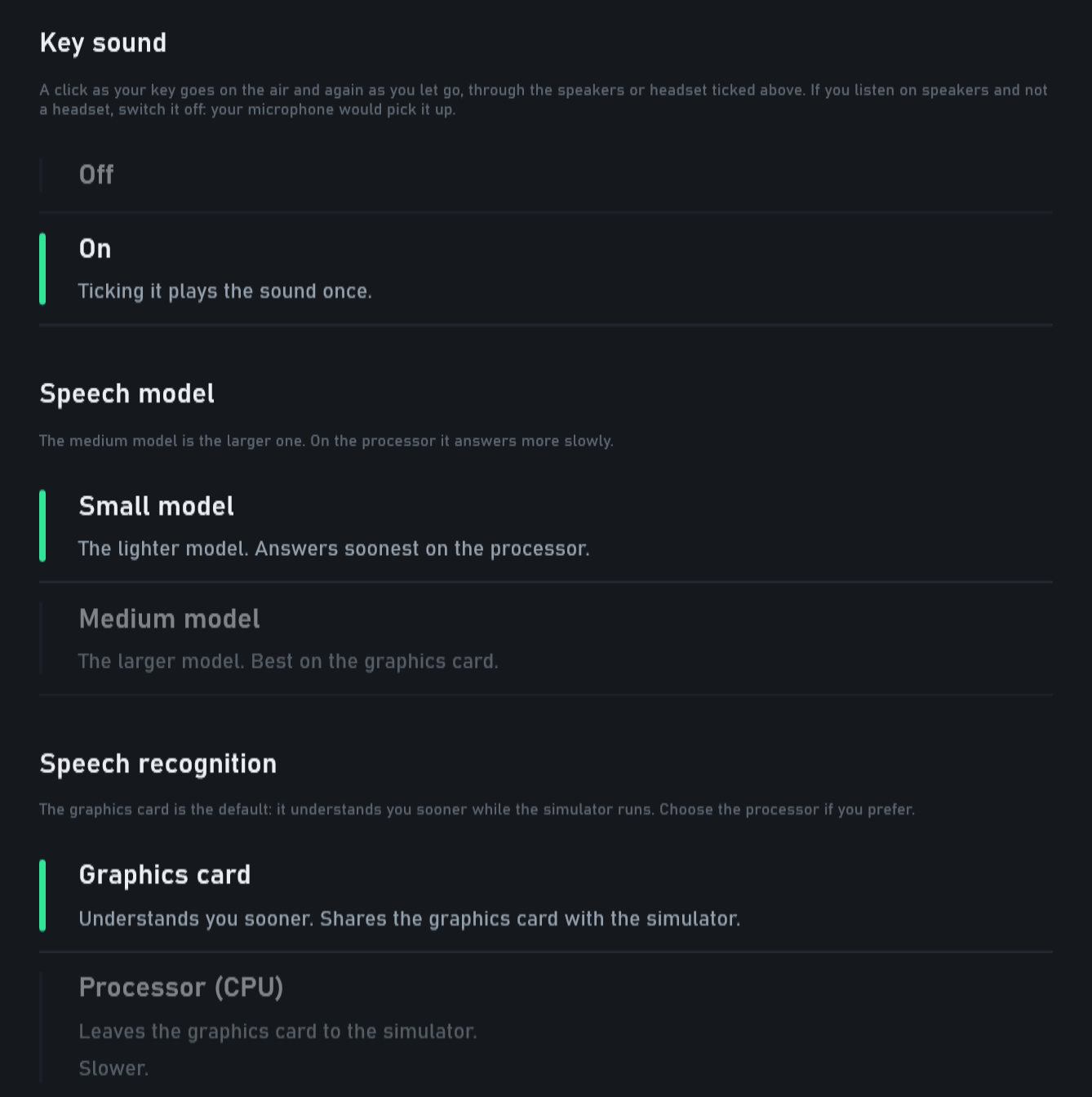
- The small speech model is the default. It answers sooner. If you used the medium model, Airside moves you to the small one once and tells you so on the radio log; the medium model is still in Settings, Radio, if you prefer it.
- The graphics card listens, and stays your choice. Airside never moves speech recognition between the graphics card and the processor by itself. If the card is slow while the simulator runs, Airside says so once; if it cannot be used, Airside says where to choose the processor.
- The desk opens at once. The microphone and the speech model load while the desk is already up on the buttons; VOICE | CLICK says "starting" and switches to voice when they are ready.
- When a transmission comes to nothing, the radio log says why: no sound from the microphone, nothing heard, or no answer in a minute, and the talk key is freed.
- Automatic picks the microphone Windows records from.
- Key sound. A click as you key the microphone and as you release it, on by default (Settings, Radio).
- A softer squeal when you key over a crew.
- Understood: "runway two two left" when it sounds like "two to left", "cleared" and "Juliett" as people really say them, and a US registration read back from its figures no longer sends the crew round and round "confirm cross runway".
The crews
The crews' own words now come from Airside's phrasebook, with nothing extra running beside the simulator: the download is about 1 GB smaller.
- Crews add a few words to their calls and readbacks at the Crew chatter level in Settings, Crews.
- "How are you doing?" gets an answer at once.
- A slightly misheard callsign is still worked out, and a crew still asks "confirm …?" when your instruction could mean two things.
- An instruction a crew did not catch at all gets "say again".
On the ground and in the air
- A crossing is never cleared ahead of a landing. Airside's Tower holds a runway crossing while an aircraft lands or rolls out on that runway from its other end.
- Displaced thresholds. Departures line up at the start of the runway where its threshold is displaced, at San Diego 27 and Sydney 16R among others.
- Taxi via, spoken. A taxiway you name is followed even where it crosses its own runway (Copenhagen, "via Alfa"), a route with a name left out in the middle is joined up, and a route never turns round on a runway centreline instead of crossing it.
- Established and ready to land. An arrival on final reports established and asks for landing clearance, also while another crew's call is waiting.
- After a go-around, the next arrivals leave room for the aircraft coming round.
- Speeds by class. Light aircraft climb, approach and go around at light aircraft speeds, turboprops at their own, and jets as before.
- Short runway ends. Where the last exit is near the end of the runway, as at Bristol, a landing takes it instead of backtracking the whole runway.
- Parking. Airliners stay off the business aviation ramps beside a lone gate, as at Stansted.
- Nose to nose. Two departures that meet at a merge: only one is turned round.
The desk
- Stand names as the scenery gives them, letter included: Hamburg 102A, 2A and 2B.
- The radio name under the callsign on the selected aircraft: "Channex 832".
- MINUTES WAITING counts every minute crews have waited for you this shift, and turns amber while one has waited over two minutes.
- Live traffic is the real day, always. Airside flies today's timetable or, where there is none yet, its own traffic, and says so.
- No more black window. If a step after the setup screen goes wrong, the desk opens anyway.
- Pilot voices. Airside brings the Windows components its pilot voices need. If the voices ever stopped Airside at a start, it opens without them and Settings, Voice says how to switch them back on.
Installing and your licence
- About 1 GB smaller for a fresh install.
- A full disk is named: how much space Airside needs and how much is free, on which drive, before anything downloads.
- A key on the free hour. Bought Airside from a shop while your free hour runs? Settings, Account, ENTER A KEY takes you straight to the key box, without signing out.
Since 0.7.8.0
0.7.8.2 went out with fixes from your reports, and they are all in this version: calls come again straight after a departure is handed off; push to talk on a stick, a gamepad or a mouse button (Settings, Radio); a see-through top bar with FLOAT PANELS; working Tower alone, the crossings come to you; US airports read back the FAA way; airliners kept off the GA ramps; "hold short" ending a taxi; and "confirm runway" when you give a departure another runway before pushback.
How to update
Open Airside from its launcher. It installs everything in one start. If you add the engine sounds, restart the simulator once.