
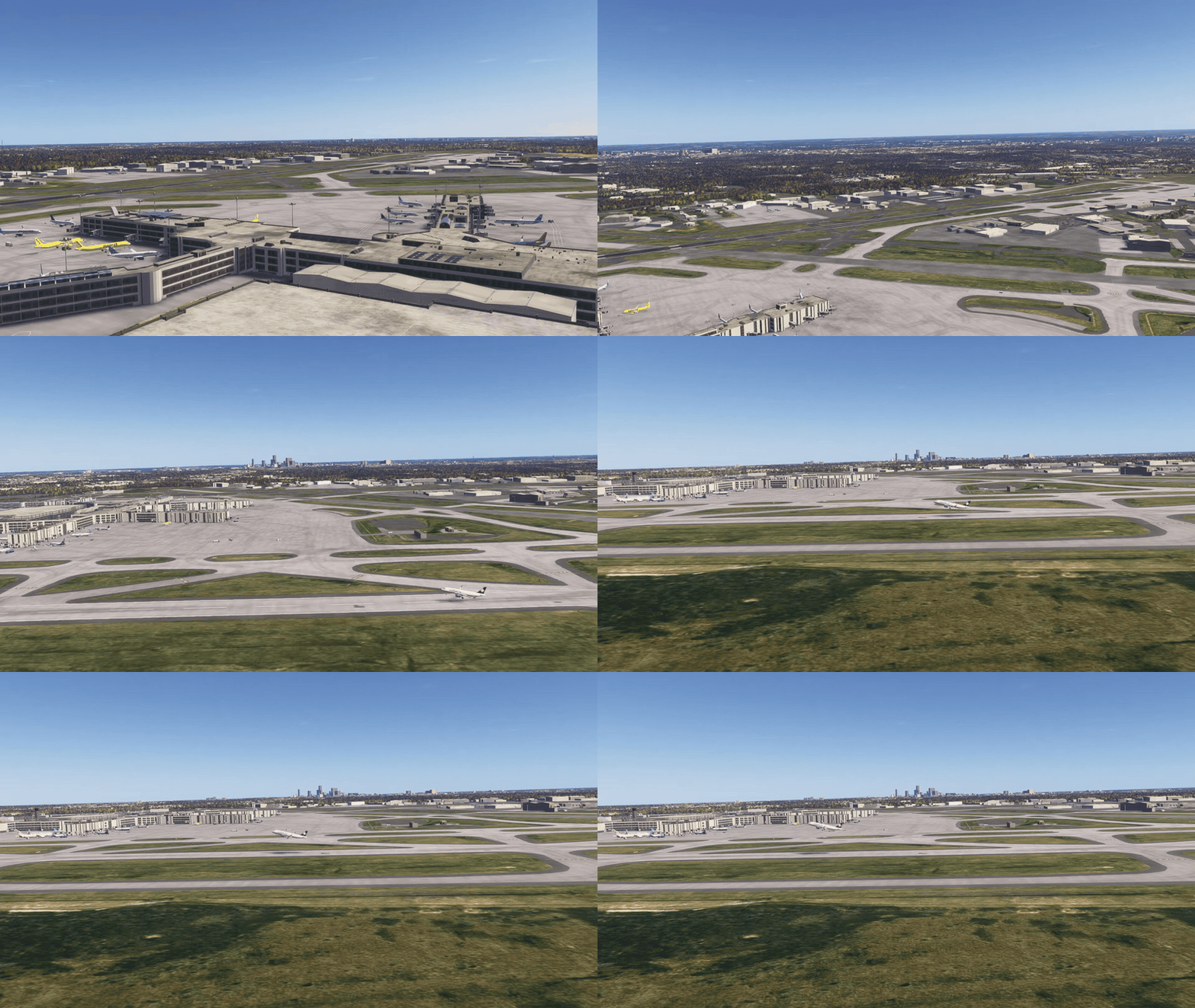
Important: the tower comes from your scenery. Airside starts the tower view where the airport's scenery puts its tower. At some airports that is an old tower, and at some there is none, and then the view stands beside the apron. If it is not where you want it, put your own: fly the free camera there, hold Shift and click TOWER. Camera up and Camera down set its height, and Settings, Keys has a key for every view.
This release is about seeing the field. Airside opens in the airport's tower, looking out over the field, and the runway view, the free camera and towers of your own are one click or one key away. Double-click a flight and the camera turns to it and follows it from where you are. Crews read back only the taxiways you said, a route you name is kept, crossings and runway exits got a lot of care, and there are about sixty changes in all, most of them from your reports and ideas.
The cameras
- The view from the tower. When the shift opens, the camera goes to the tower and looks out over the airport. Hold the right mouse button over the simulator and move the mouse to look around; the wheel zooms in like binoculars, up to eight times. TOWER on the selected aircraft panel, or Ctrl+Alt+T, takes you back there.
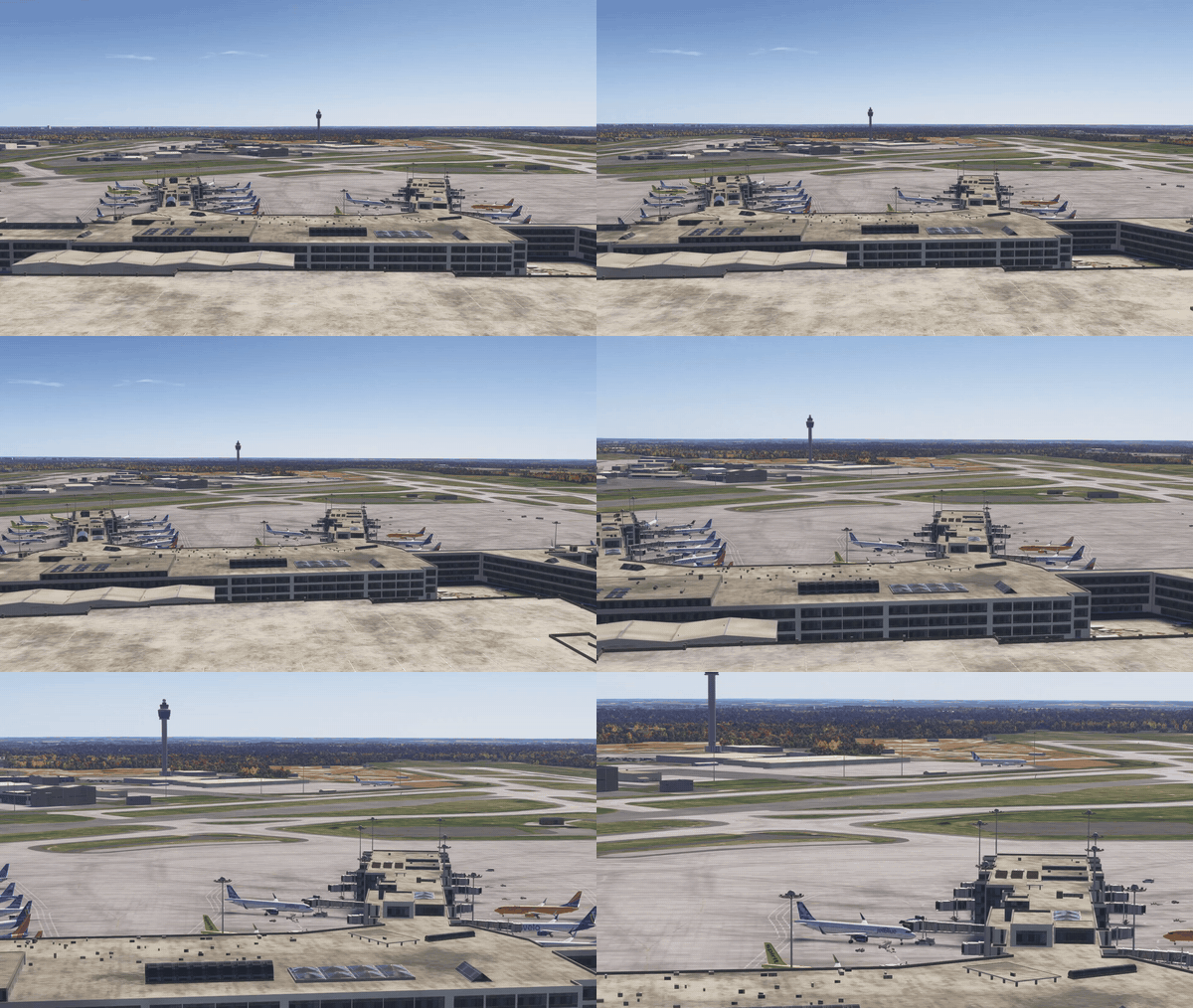
- A tower at every airport. Where the airport's scenery does not say where its tower is, the view stands beside the apron, clear of the runways. Where it does not say how tall the tower is, the view starts over a tower as tall as the airport's size suggests.
- The runway view. RUNWAY, beside TOWER, puts the camera beside a runway in use, where arrivals touch down. Press it again for the next runway.
- Towers of your own. Fly the free camera to where you want it, hold Shift and click TOWER: Airside keeps that place as a tower of this airport and takes you into it. TOWER then goes through your towers first and the airport's own after them, one each press. Shift and a click on RUNWAY keeps a runway view the same way, and in one of your own views Shift and the click save it again with its height and where it looks. Settings, Keys shows how many you have at the airport, and can forget them.
- The height is yours. Camera up and Camera down, held, raise and lower the tower and runway views, and the height stays for the rest of your time at that airport.
- Follow a flight from where you are. Double-click an aircraft from the tower or the runway view: the camera turns to it and follows it from there. Double-click it again and you are back where you were.
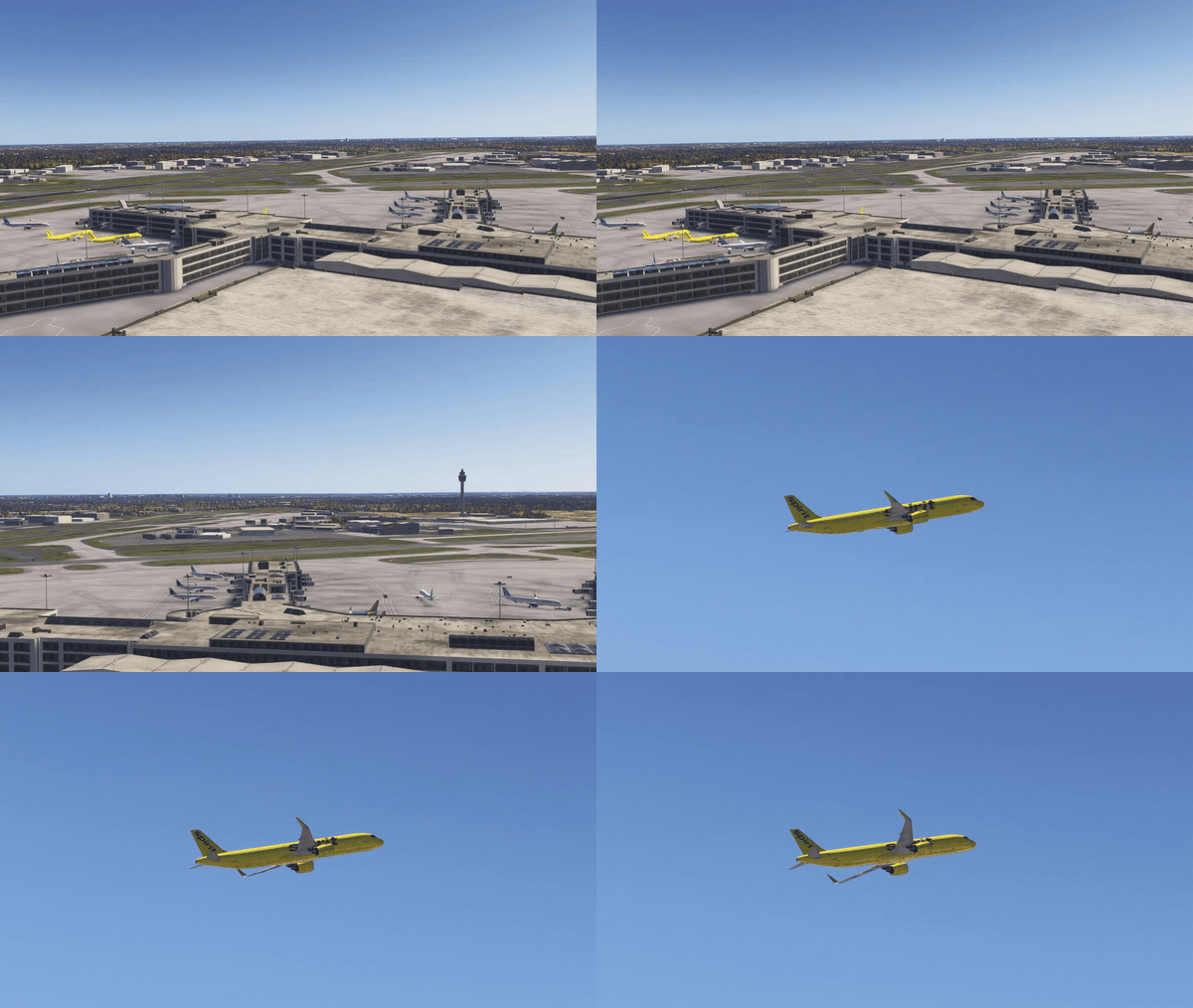
- The mouse in every view. Over the simulator, the wheel zooms the double-click camera too. In Walk around it, the right button takes the camera round the aircraft and the wheel moves it closer or further.
- From the tower (zoom) is back in the aircraft's CAM menu.
- From one view to the next the camera turns its head, or glides there, instead of cutting.
- Steady and natural. A followed aircraft no longer jumps back and forth in the picture, the zoom eases, and the camera that follows it and Walk around it see it through a natural lens, from further away.
- Level with the horizon. The tower, runway and double-click views stand level, whatever your own aircraft is doing.
- The sound from outside. In Airside's views the simulator plays the airport from outside, not from your cockpit. Settings, Audio can turn it off.
- FREE CAM, TOWER and RUNWAY sit together on the selected aircraft panel, with or without an aircraft selected, each with its own icon. FREE CAM has moved there from the top bar.

- The ? says how. Beside them, it lists the mouse and the wheel, RUNWAY again for the next runway, Shift with TOWER or RUNWAY, Walk around it and your own keys. The TOWER RADAR's hint says which view is on.
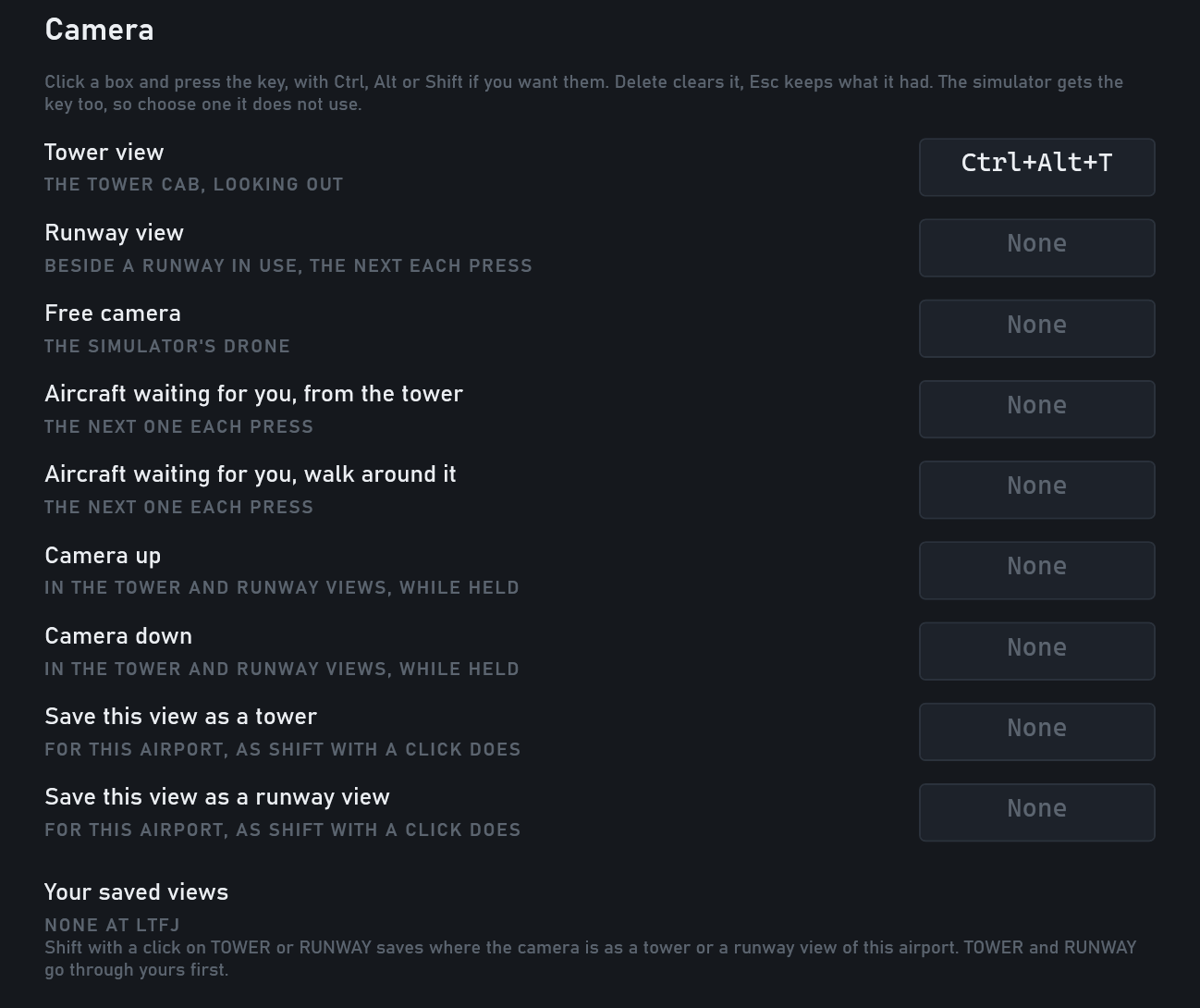
- A key for every view. In Settings, Keys: the tower view, the runway view, the free camera, the next aircraft waiting for you (looked at from the tower, or walked around), Camera up and Camera down, and saving the view as a tower or a runway view. Each button's tooltip names its key.
Radio
- Read back as said. A taxi or a stand given with no taxiways is read back with none. Taxiways you say are read back as you said them. A route picked with clicks is still read back whole.
- The route you named is kept. When Airside has to plan a taxi again, after a missed turn or round traffic, the new route keeps the taxiways you named. Where none can, the crew says "unable to continue taxi, holding position, request new routing".
- Handoffs stay yours. With spoken handoffs on, an aircraft never changes position by itself. Forget one and the crew reminds you ("clear of the runway, shall we contact ground?"), first after twenty seconds you could have spoken in, then every ninety.
- "No delay" or "without delay" with a takeoff clearance is an immediate takeoff, and is read back as one.
- Stands said differently. "Taxi stands alpha two" and "stand to Bravo" are understood. A stand said and not understood is asked back, "say again the stand", instead of the nearest free stand being taken. "Taxi to gate" on its own still gets a free stand.
- The whole callsign, again. Call a crew by its whole callsign after using the short one, and it signs with the whole one again.
- Heard faster. What you say is listened to at its own length instead of a fixed window, with the same accuracy, so Airside answers sooner, most of all when speech recognition runs on the processor.
- More words understood. "Four" heard as "hover" or "power", and "continue" heard as "conting" or "counting".
- Airline callsigns. Eleven airlines now use their registered radio names, and the old names are still understood.
Runway and tower
- Landing requests on a busy runway. A crew on final asks for its landing clearance even while other traffic holds the runway, a crossing runway included.
- Landing requests first. On a busy frequency a landing request goes out before older waiting calls, and is not said once the aircraft is cleared or going around.
- Asked once more. An unanswered "confirm cleared to land?" is asked again while there is still time.
- Runway vacated, past the line. A landing reports "runway vacated", and frees the runway, only once the whole aircraft is past the holding position.
- Rolling takeoffs. With "immediate" or "no delay", a departure cleared on the way does not stop at its holding point, and one cleared to line up and go does not stop on the runway, when nothing is ahead.
- Two runways in one crossing. Where there is no room to stop between two runways, the crew asks for both and is cleared for both: "cross runways 06 and 13R".
- Along a runway is onto it. A taxiway that runs along part of a runway counts as a crossing: the crew stops and asks first.
- No turn-off onto another runway. A landing no longer leaves its runway onto a crossing runway and stands there.
- A cleared crossing still gives way. Cleared to cross, a crew waits at the line while it gives way to traffic coming to the same crossing.
- Off its own runway by crossing. An arrival with no stand that stops at a crossing line while still on its landing runway asks to cross.
- One runway, one name. Where the scenery lists a runway twice, under its old and its current numbers, Airside uses it as one runway with its current number.
- The nose comes down later after touchdown: 4 to 5 seconds on a narrowbody, 5.5 to 7 on a widebody.
- Wing rock. On a gusty final, aircraft rock their wings a quarter more, still as their size allows.
- Tyre smoke at touchdown, on some aircraft types.
Taxi and ground
- Exits kept clear. Where Airside works Ground, a departure holds short of the runway exit an arrival is about to use, until the arrival is off it.
- No pushback over a runway. A push stops short of a runway on its way, and the crew asks to cross at the line.
- Who it gives way to. "Waiting for … to pass" names the aircraft it is giving way to now, not one that has gone.
- Turns at their speed. Aircraft hold a turn's speed instead of braking far below it, and a landing no longer stops on its runway while slowing for its turn-off.
- Buses come and go. A bus leaves when the passengers are off and comes back for boarding, and an aircraft waiting hours for its next flight keeps no vehicles.
- Airside's vehicles can be turned off again. Settings, Ground handling, Airside's vehicles: Shown or Not shown.
- Runway crossings in the tutorial. Where the lesson's departure has to cross a runway, the tutorial stops at the line and teaches Cross Runway.
Traffic and stands
- Arrival rate. Settings, Traffic sets the most arrivals an hour, all runways together: no limit, 40, 30, 20, 15 or
- They come evenly spaced, the rest hold, and the flight board says ARRIVAL RATE.
- Gates first where there are gates. At airports whose airline stands are mostly gates, aircraft go to a gate first, widebodies included. Elsewhere the mix is as before.
- Stand letters on the ground radar. Stands like 1A and 1B are drawn with their letter, and each crew names its own stand.
- Live traffic, the day you fly. A live shift plays the airport's own date, and the day before only until six in the morning there.
- Time speed at an empty airport. With no aircraft about, the airport waits for the next one at the desk's time speed, not in real time.
- Out of sight from the tower too. An aircraft that appears on its stand during the shift also waits while the tower or the runway view has that stand in sight.
Map and screens
- ALL. A sixth tab on the flight strips shows every aircraft: whatever waits for you first, the traffic on the move next, the quiet stands last. Its count is everyone waiting.
- WAITING NOW replaces MINUTES WAITING under the radio log: how many crews are waiting for you, and the longest wait. Its hover gives the shift's waiting in all, and AVG DELAY's hover says what that average is.
- The planned stand. An arrival with no stand shows, on its strip and on the selected aircraft panel, the stand "taxi to stand" would give it, marked planned.
- Type a stand on the strip. Click an arrival's stand and type one. On final or on the landing roll it is written on the strip and nothing is said; on the ground it is the stand instruction.
- The flight board lines up. One type size on every row, the time, flight and type columns the same width.
- The desk opens where you left it, on any screen. If that screen is gone, it opens in the middle as before.
- Hints that fit. A card's hint goes onto a second line on a narrow card instead of being cut off.
Settings
- Settings in four groups: Simulation (Traffic, Ground handling, Crews), Radio (Audio, Speech recognition), Controls and display (Keys, Display), and Account and help (Account, Report a problem, Help). Every key is on Keys, and every message that names a Settings page names the new one. No setting changed, only where it lives.
The launcher and setup
- Live traffic on the plain setup screen. Where the setup's own page cannot open, the plain setup screen offers live traffic too, and gets the day when you start the shift.
- Sign-in codes. Asked for a code more than once? Any of the last three we sent works.
How to update
Open Airside from its launcher. It installs everything in one start. Your first live shift at each airport after the update downloads its day once more.